There’s a particular kind of IT invoice that ruins a month. The server died. It was seven years old. Replacing it costs four figures in hardware and more than that in labor, it has to happen this week, and nobody budgeted a cent for it.
The frustrating part is that it was entirely predictable. That server was seven years old last year too.
Budgeting for IT at a 10–75 person company tends to fail in the same place: the budget covers the recurring costs, which are easy to see, and ignores the periodic ones, which are the expensive ones. Then the periodic costs arrive anyway, as emergencies, at emergency prices.
Here’s a structure that fixes most of it.
The emergency tax
Reactive IT spending costs more than planned IT spending for the same outcome, and the gap is bigger than people expect.
When a machine fails on a Tuesday, you buy what’s available rather than what’s right. You pay for expedited shipping. You pay for after-hours labor because the replacement has to be in before Wednesday morning. You skip the migration planning, so you carry a configuration problem for the next three years. And the people who couldn’t work while it was down cost you more than any of it.
None of that appears as a line item called “emergency tax.” It shows up as a hardware invoice bigger than it needed to be and a month where nothing else got done. The whole point of planning is to buy the same thing on a Thursday in March with a purchase order and a maintenance window.
The five buckets
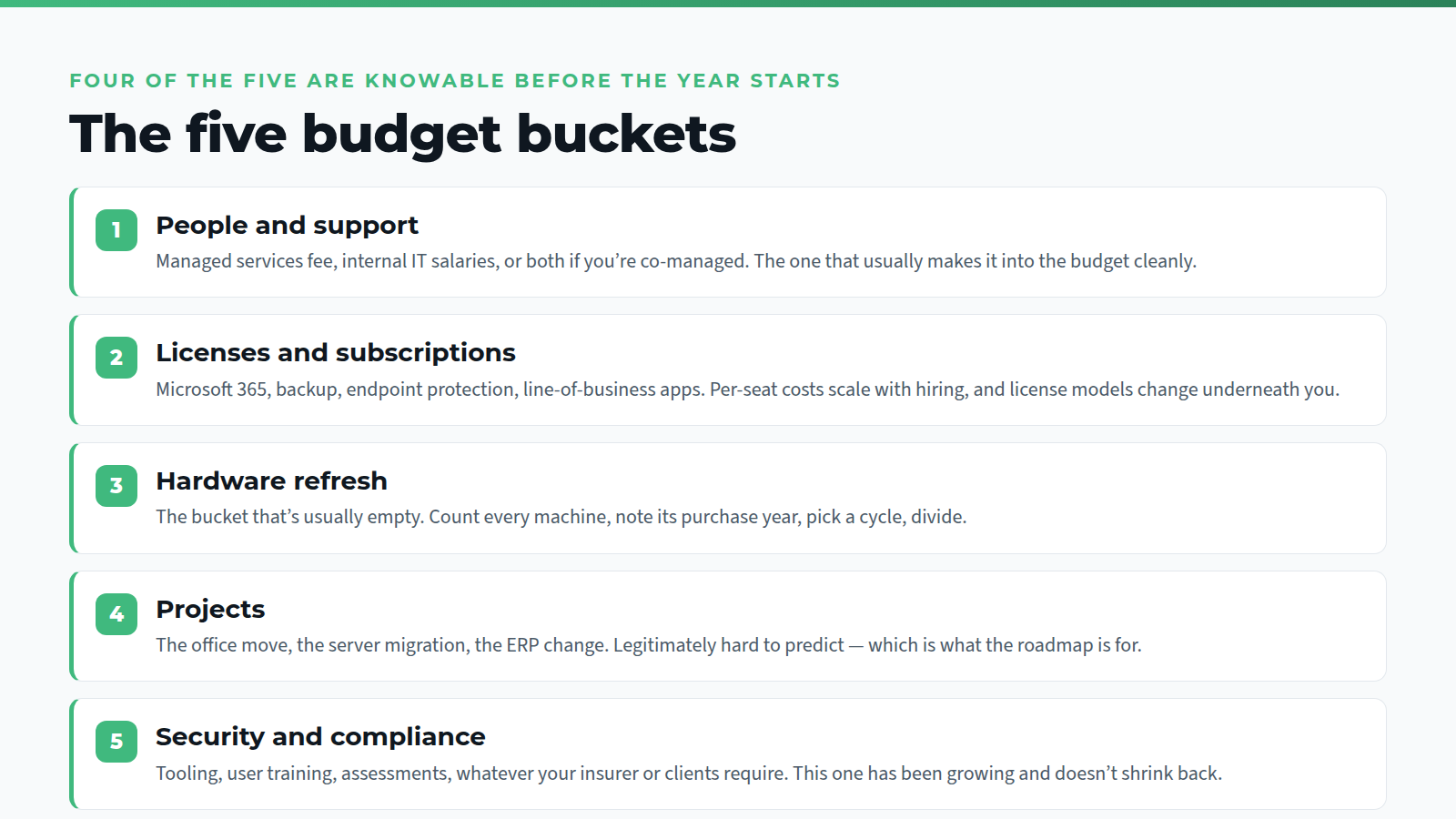
Split the IT budget into five, and the missing money becomes obvious.
1. People and support. Your managed services fee, or your internal IT salaries, or both if you’re co-managed. This is the predictable one, and it’s usually the only one that makes it into the budget cleanly.
2. Licenses and subscriptions. Microsoft 365, backup, endpoint protection, the line-of-business applications, the password manager, the things finance pays for on a card. Two things to watch: per-seat costs scale with hiring, and license models change underneath you. Microsoft moved new Copilot Business licenses to usage-based billing by default, that’s the kind of change that quietly turns a fixed line into a variable one.
3. Hardware refresh. The bucket that’s usually empty. Count every machine, note its purchase year, and assume a replacement cycle. Divide by the cycle length and you have an annual number instead of a periodic shock.
4. Projects. The office move, the server migration, the new phone system, the ERP change. Projects are legitimately hard to predict more than a year out, which is exactly why the roadmap conversation matters.
5. Security and compliance. Security tooling, user training, assessments, whatever your insurer or your clients require. This bucket has been growing for everyone and it doesn’t shrink back.
Every one of those five should have a number next to it before the year starts. Four of them are knowable. The fifth, projects, is where the roadmap earns its keep.
The refresh cycle is the whole trick
If you do one thing from this post, do this one.
List every computer, server, firewall, switch, and access point you own. Write down the year you bought each one. Decide on a replacement cycle. A lot of firms use three to four years for laptops and five for servers and network gear, though the right number depends on what the machine does and how hard it works.
Now you can see the next three years. Some of it lands in year one, some in year two. The lumps are visible, and you can smooth them: pull a few replacements forward into a light year, push others back a quarter. That is the entire mechanism for turning surprise costs into planned ones, and it takes an afternoon to set up.
It also changes the conversation with your provider. “The server is old” is a worry. “The server is in year six of a five-year cycle and here’s the replacement cost” is a budget line.
Three years, not one
Annual budgets hide the lumpy years. A three-year view doesn’t.
The first year should be reasonably firm: known refresh, known licenses, known projects. Year two is a planning number with the big items identified. Year three is a placeholder that stops you being surprised by the fact that everything you buy this year will need replacing in it.
The business plans that belong in it: headcount growth, a new office or a move, a funding round or an acquisition, a new client segment with its own compliance requirements. All of those have IT costs attached, and all of them are known internally long before anyone tells the IT provider. Telling them early is nearly free. Telling them late is not.
This is more or less the job we do for firms with multiple operating companies under one roof, see the investment portfolio case study, where the planning problem is the same one multiplied.
What a quarterly roadmap review actually covers
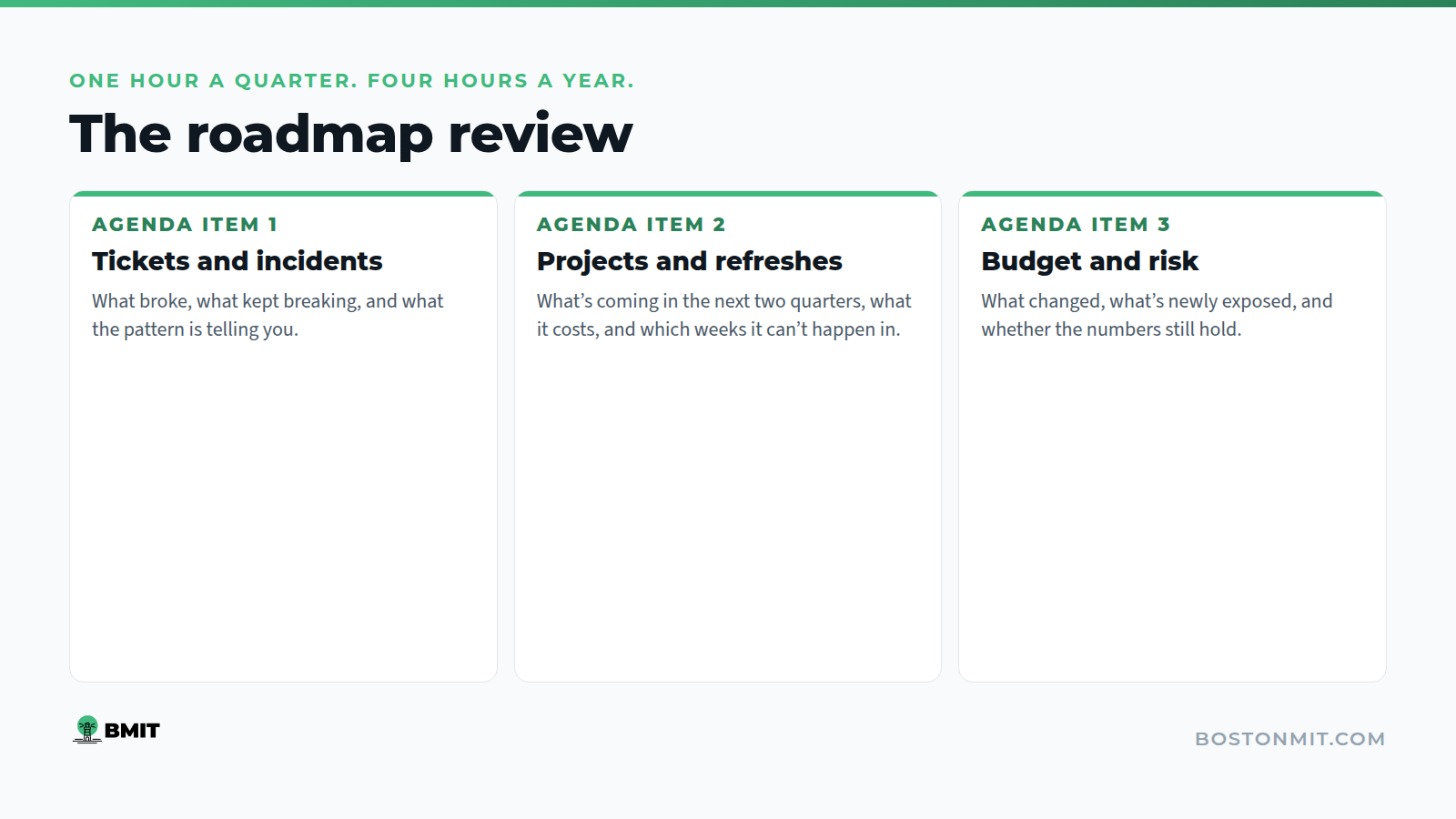
Once a quarter, sit down with your IT partner for an hour. Three things on the agenda.
Tickets and incidents. What broke, what kept breaking, what that pattern is telling you. Repeated tickets about the same application are a project waiting to be named.
Projects and refreshes. What’s coming in the next two quarters, what it costs, what it needs from your team, and which weeks it can’t happen in because you have a board meeting or a busy season.
Budget and risk. What’s changed since last quarter, what’s newly exposed, and whether the numbers still hold.
An hour a quarter is four hours a year. It’s the cheapest thing on this page and it’s the one that makes the other four buckets accurate.
Where we fit
We build and maintain this for clients as part of the managed IT engagement, the asset inventory with ages and replacement dates, the refresh schedule, the three-year view, and the quarterly conversation where it gets revised against what’s actually happening in your business. Infrastructure and on-site support covers the execution side when the refresh comes due.
It’s work we do a lot with private equity and investment firms, where several portfolio companies need one coherent plan, and with nonprofits, where the budget is fixed a year ahead and a surprise invoice has to come out of something else.
If you don’t have the inventory yet, that’s the starting point, and it’s part of what an IT health check produces.
Building next year’s number? Bring us what you have. We’ll sit with it and tell you what’s missing, what’s going to age out, and where the emergency tax is hiding.
Book a roadmap conversation · Contact form · 617-322-5155