
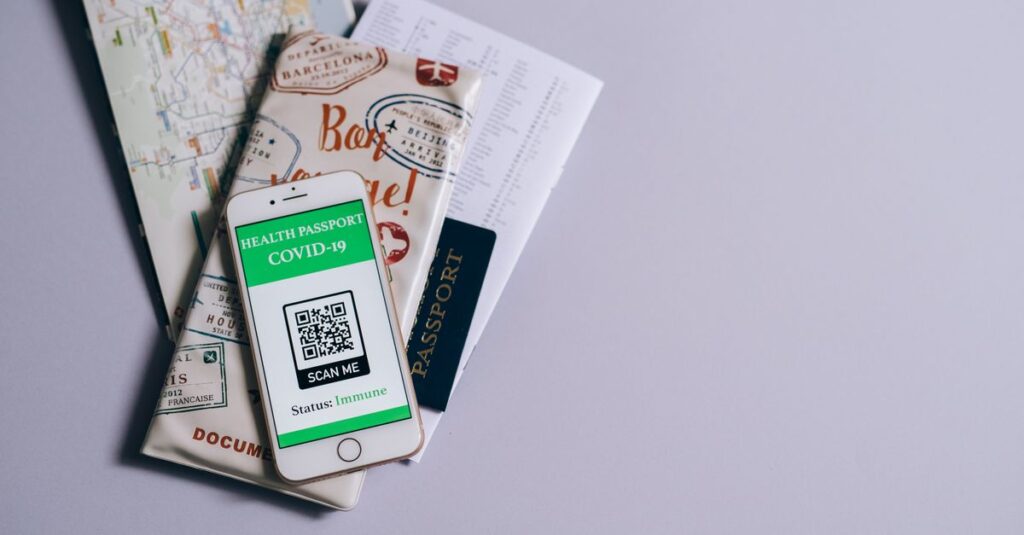
QR code phishing attacks more than doubled in the first three months of 2026, and the links hidden inside those codes are increasingly landing in business inboxes. If your staff scan a QR code from an email, invoice, or flyer without checking where it leads, you could hand over a username and password without ever clicking a suspicious link. The fix is training people to check the preview URL before scanning and tightening how your email system filters image-based threats.
- QR code phishing (“quishing”) volume grew 146% in Q1 2026, according to Microsoft’s own threat intelligence data.
- Most quishing attacks hide the QR code inside a PDF attachment, which many email filters don’t fully scan.
- Scanning moves the attack to a personal phone, outside your company’s managed security tools.
- The FBI has warned about tampered QR codes since 2022, and the scam has only grown more common since.
- Checking the link preview before scanning stops most of these attacks before they start.
What makes QR code phishing different from a normal phishing email?
A typical phishing email contains a clickable link that email security tools can scan, compare against known bad domains, and often block before it reaches an inbox. A QR code buries that same destination inside an image. Many email filters read text, not the pixel pattern of a QR code, so the malicious link slips through unnoticed.
Once an employee scans the code, they’re usually redirected to a fake Microsoft 365 or other login page designed to steal credentials. The scan happens on a phone, which means the attack never has to pass through the laptop antivirus, web filter, or email gateway your IT provider manages on company machines.
How fast is this threat growing?
Microsoft Threat Intelligence tracked QR code phishing volume climbing from 7.6 million attacks in January 2026 to 18.7 million in March, a 146% jump over the quarter, making it the fastest-growing phishing technique the company tracked that quarter. February alone saw a 59% jump, followed by another 55% increase in March, according to Microsoft’s Q1 2026 email threat landscape report.
PDF attachments carried most of the malicious codes, growing from 65% of QR code attacks in January to 70% by March. A newer wrinkle Microsoft flagged: QR codes embedded directly in the body of an email, with no attachment at all, surged 336% in March. That method still made up only a small share of total volume, but it shows attackers actively probing for ways around filters that specifically scan attachments.
Why should a small or midsize business in Boston care?
Attackers don’t need to single out a specific company to make quishing profitable. Mass phishing campaigns go out broadly, and any business whose staff check email on personal phones, or print QR codes on invoices, parking validation, or event signage, is a potential target. A single stolen Microsoft 365 password can lead directly into email, SharePoint files, and financial systems, the same starting point behind the business email compromise schemes already costing companies billions.
Smaller companies are often more exposed, not less. They’re less likely to have mobile device management on personal phones, and employees juggling multiple roles have less time to scrutinize every email that lands in their inbox. The FBI’s consumer-facing warning on tampered QR codes noted that criminals swap in malicious codes on both digital and printed materials, which means the risk isn’t limited to email at all. A fake code taped over a real one on a parking meter or a mailed flyer works the same way as one buried in a PDF.
What can your business do about it right now?
A few practical habits cut most of the risk without needing new software:
- Teach staff to read the link preview most phone cameras show before opening it, the same habit we cover in how to check if a link is safe.
- Treat any unexpected QR code in an email, especially inside a PDF, the same as a suspicious link: don’t scan it, report it.
- Ask your IT provider whether your email security product inspects QR codes inside attachments and images, not just text-based links.
- Move high-value accounts to phishing-resistant MFA, such as a hardware security key or passkey, rather than relying only on a one-time code a tricked employee could hand over.
- Check physical QR codes, on signage, invoices, or payment terminals, for signs of a sticker placed over the original.
These same fundamentals also help against the broader wave of AI-written phishing emails targeting small businesses this year, since both rely on getting someone to act quickly without looking closely.
Frequently asked questions
What is QR code phishing, or “quishing”?
QR code phishing, often called quishing, is an email or physical scam that hides a malicious link inside a QR code instead of a clickable link. The victim scans the code with a personal phone, which usually has none of the company’s email security or endpoint protection, and lands on a fake login page designed to steal credentials.
Why are QR code phishing attacks increasing so quickly?
Email security tools scan text and links, but many cannot read the destination hidden inside an image. Attackers exploit that gap and route victims to phishing sites through personal phones, which sit outside the company’s managed devices and security tools.
How can employees check a QR code before scanning it?
Most phone cameras show a preview of the destination URL before opening it. Read that preview carefully for misspelled domains or unfamiliar web addresses. If a QR code arrived unexpectedly by email or showed up on a flyer, invoice, or parking sign that looked tampered with, don’t scan it, and report it to your IT provider.
Does multi-factor authentication stop quishing attacks?
Standard MFA codes and push notifications can still be intercepted or approved by a tricked employee. Phishing-resistant methods, such as hardware security keys or passkeys, are far harder for attackers to defeat than a one-time code typed into a fake login page.
A 146% jump in QR code phishing in a single quarter means the odds of one of these emails reaching your staff are only going up. If you’re not sure whether your current email security actually inspects QR codes and image-based attachments, or whether your team would know what to do if they received one, Boston Managed IT offers a free 15-minute Microsoft 365 or security review to find out. Call (617) 322-5155 or visit bostonmit.com/contact to schedule one.
— Boston Managed IT