Most IT problems at a 10–75 person company are not discovered. They are announced.
The backup that hadn’t worked since June announces itself on the day you need it. The laptop with no encryption announces itself when it’s left on the commuter rail. The former employee’s account announces itself when someone logs in from an IP address in a country you’ve never done business with.
The point of an IT health check is to move those discoveries earlier, when they’re cheap.
You don’t need us to start. Below are ten questions. Answer each one honestly. Yes or no, no “sort of.” Then count the noes at the end. Should take about five minutes.
The ten questions
1. Could you name, right now, the last time someone restored a file from your backup? A date and a description. If your answer is “the backups run every night,” that’s not a yes.
2. If your main server or main cloud system went down at 9am on a Monday, do you know how long it would take to get people working again? Not a guess. A number someone has actually measured or tested.
3. Does every single person have multi-factor authentication on their email? Every person. Including the owner, including the shared mailboxes, including the one who found it annoying and got an exemption.
4. When someone leaves, is there a written checklist, and does someone confirm it was completed? Accounts disabled, devices collected, mailbox handled, licenses reclaimed. A checklist that exists but nobody signs off is a no.
5. Do you know how many computers your company owns, and how old the oldest one is? If the answer is “roughly,” the answer is no. This is the question that predicts next year’s surprise costs.
6. Is there documentation of your IT environment that someone outside your current provider could pick up and use? Network layout, credentials, vendor contacts, the quirks. If it lives in one technician’s head, you have a dependency, not documentation.
7. Do you know which of your staff have administrator rights on their own machines? And more to the point, whether each of them needs to.
8. Has anyone tested whether your staff would click a phishing email in the last twelve months? Training that was purchased is not training that was completed.
9. Do you have a written plan for the first hour of a security incident? Who gets called, in what order, who talks to the insurer, who decides whether to pull systems offline.
10. Is there a budget line for IT next year that isn’t just last year’s number? Something that reflects what’s aging out and what the business is planning to do.
Scoring it
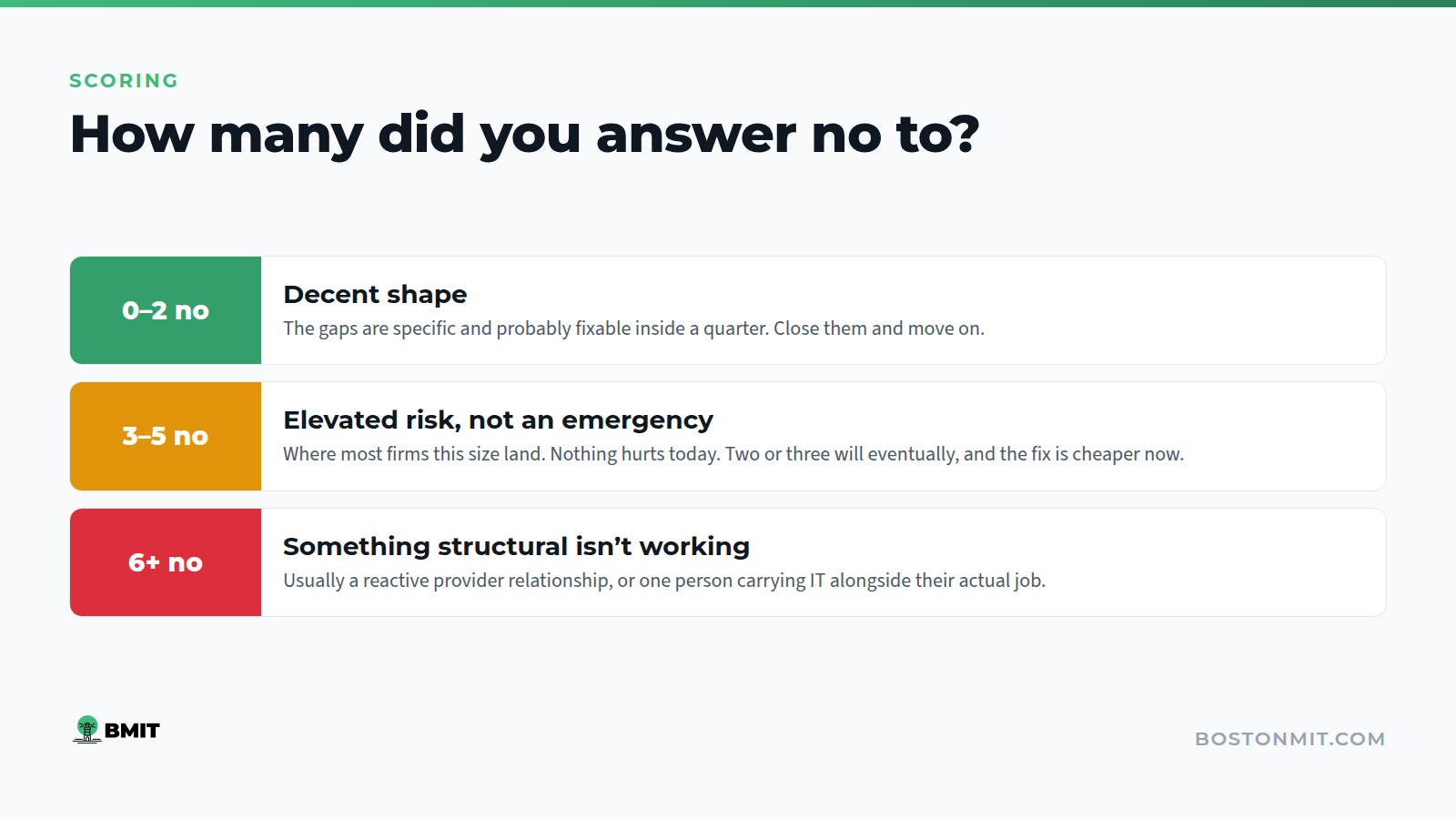
Count your noes.
0–2 noes. You’re in decent shape. The gaps are specific and probably fixable inside a quarter. Close them and move on.
3–5 noes. This is where most firms your size land, and it’s the range I’d describe as elevated risk rather than emergency. Nothing here will hurt you today. Two or three of them will hurt you eventually, and the fix is much cheaper now than after.
6 or more noes. Something structural isn’t working. That’s usually not a failure of effort, it’s normally a provider relationship that’s reactive by design, or an internal person who inherited IT alongside their actual job and has been doing their best. Either way, it needs attention rather than another year of hoping.
A note on question 1 and question 2, because they carry more weight than the rest: if you can’t answer those two, the others matter less. Recovery is the floor. Everything else is built on top of it.
If several of your noes were in the security questions (3, 7, 8, and 9), it’s worth reading our post on what your cyber insurance carrier is going to ask about those same controls, because your renewal will surface them whether or not you do.
What an actual health check covers
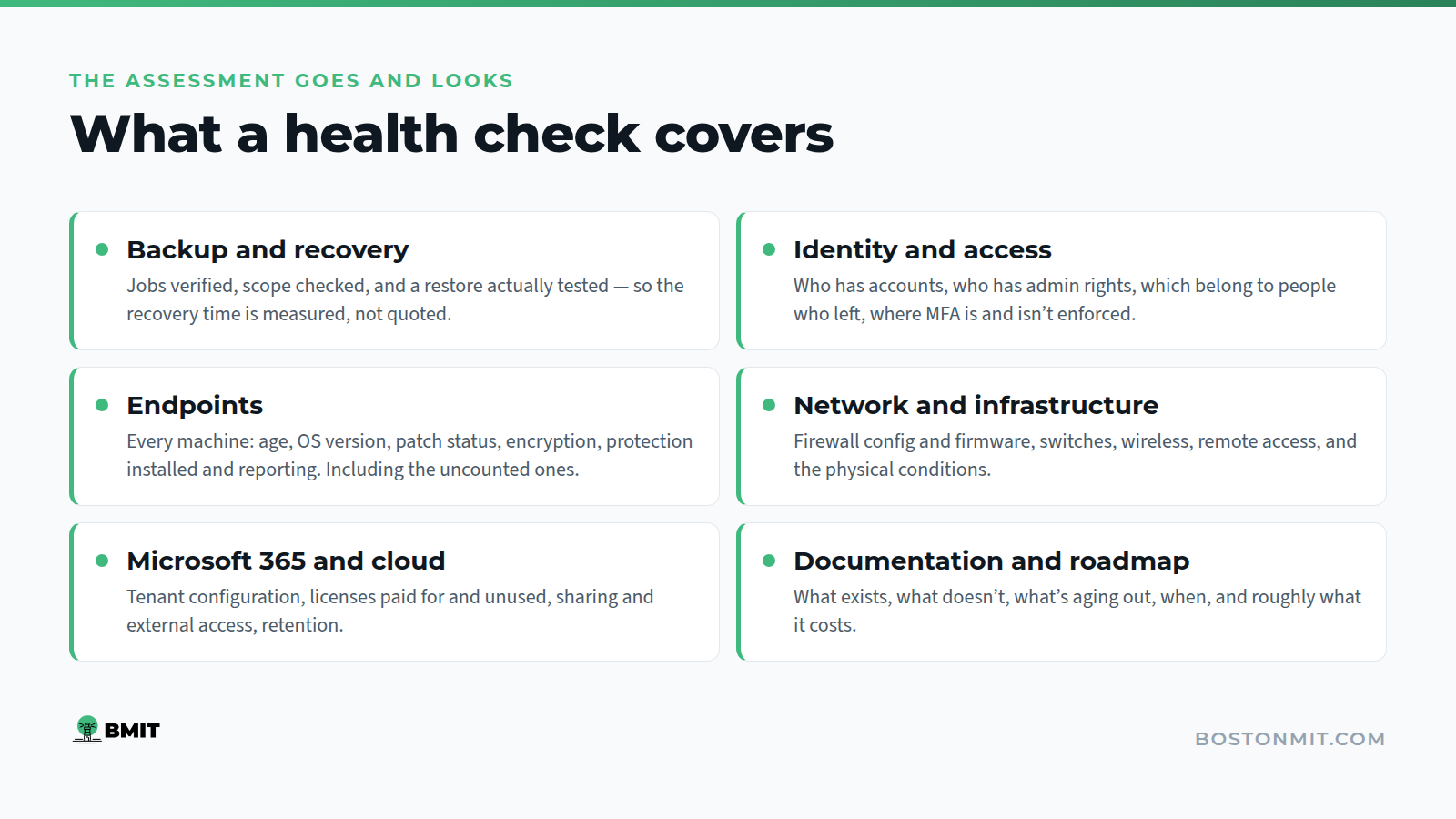
The self-assessment is a smoke test. A real IT health check goes and looks.
Backup and recovery. We verify jobs are completing, check what’s actually in scope, and test a restore. Then we tell you the realistic recovery time, which is frequently not the one in the contract.
Identity and access. Who has accounts, who has admin rights, which accounts belong to people who left, where MFA is and isn’t enforced.
Endpoints. Every machine: age, operating system version, patch status, encryption, whether endpoint protection is installed and reporting. Including the ones nobody counted.
Network and infrastructure. Firewall configuration and firmware, switches, wireless, remote access, and the physical conditions, which in older Boston buildings genuinely matters more than people expect.
Microsoft 365 and cloud. Tenant configuration, licensing you’re paying for and not using, sharing and external access settings, retention.
Documentation. What exists, what doesn’t, and what would happen if your current provider disappeared on Friday.
Roadmap. What’s aging out, when, and roughly what it costs, so the next twelve months has a number attached.
You get a written summary at the end. It’s yours. If you take it to your current provider and have them fix everything in it, that’s a good outcome and I’d rather you did that than nothing.
Why we do them
Two honest reasons.
The first is that it’s the only sensible way to quote managed IT. Pricing an environment you haven’t looked at means either padding the number or being wrong, and we’d rather do neither.
The second is that the assessment is genuinely useful on its own. We’ve handed over findings summaries to firms who stayed with their existing provider, and that’s fine. A business in Greater Boston running with untested backups is a worse outcome for this city than a deal we didn’t win.
We’ve been doing this since 2017, mostly for organizations between 5 and 100 seats. The case studies show what comes after, the biotech one covers a fast-growing company that needed the environment built properly while it was still growing, which is a very different starting point from a takeover.
The work itself sits across managed IT, infrastructure and on-site support, and cloud and cybersecurity. We do a lot of this with startups and smaller businesses and with nonprofits, where the budget question in number 10 is usually the hardest one.
Answered “no” more than three times? That’s what an IT health check is for. We spend time in your environment, then give you a written findings summary you own, whether or not you ever work with us. There’s no charge for it.
Book a free IT health check · 617-322-5155