Here is the conversation I have most often with a business owner in Greater Boston.
They tell me their IT is “fine.” Then, about four minutes later, they tell me the server room gets hot in the summer, nobody is quite sure who has admin rights to the accounting system, and the last time they heard from their IT company was a ticket about a printer in March.
Both things are true. Nothing is on fire. Nothing is being looked after either.
That gap is the whole subject of this post. If you run a 20–50 person firm and you pay a monthly fee for IT, you are entitled to know what that fee buys on the days when nothing breaks. Most of the value of a Boston managed IT partner is invisible by design. That does not mean it should be unverifiable.
Break/fix wearing a managed IT costume
A lot of what gets sold as “managed IT” in this market is break/fix with a subscription attached. You can usually spot it by three symptoms.
You only hear from them when you call. No monthly summary, no check-in, no “we noticed your backup failed twice last week.” Silence gets interpreted as health.
Every project is a surprise invoice. The monthly fee covers support. Then anything that resembles actual work (a server migration, a new office, a security tool) arrives as a separate quote you weren’t planning for.
Nobody owns the outcome. Your internet is slow. The MSP says it’s Comcast. Comcast says it’s your firewall. You spend a week as the go-between for two vendors you’re paying.
None of that makes the provider dishonest. It makes them reactive. Reactive is a legitimate business model, and for a five-person office it’s often the right one. At 20–50 people it stops working, because at that size a bad Tuesday costs more than the entire year of support did.
The work that happens when nothing is broken
Here is what I think a managed provider owes a firm your size. I’ve grouped it by how often it should happen, because cadence is the part that gets quietly dropped.
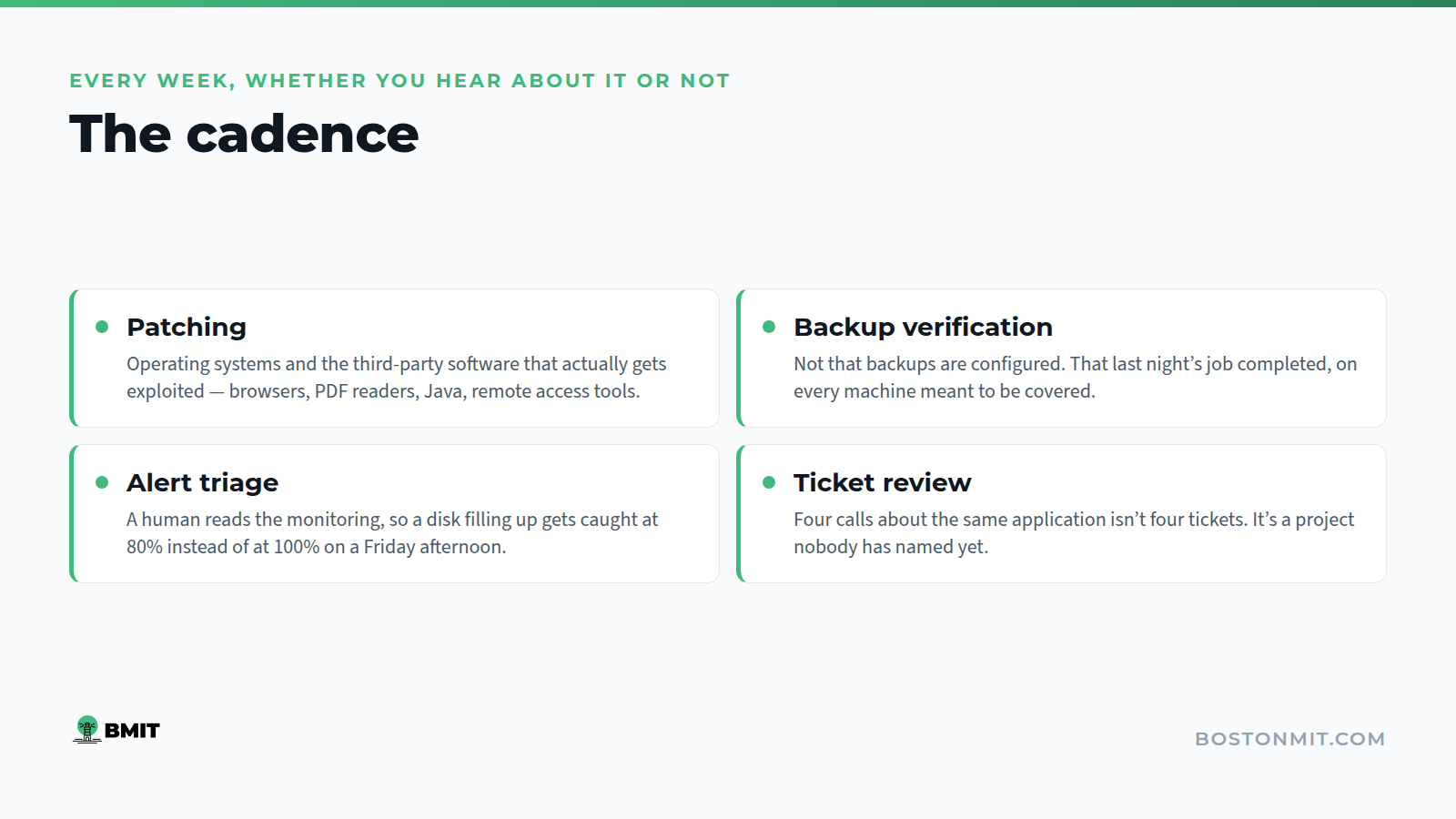
Every week
- Patching. Windows and macOS updates, plus the third-party stuff that actually gets exploited: browsers, Adobe Reader, Java, remote access tools. Patching the operating system and ignoring everything else is the most common half-job in this industry.
- Backup verification. Not “backups are configured.” Someone looks at whether last night’s job completed, and whether it completed for every machine that’s supposed to be covered.
- Alert triage. Monitoring generates noise. A human being should be reading it and deciding what’s real, so that a disk filling up gets caught at 80% instead of at 100% on a Friday afternoon.
- Ticket review. Someone on their side should be looking at the week’s tickets for patterns. Four calls about the same application is a project, not four tickets.
Every month
- A report you can actually read. Ticket volume, response times, what got patched, what’s still outstanding. If the report is forty pages of green checkmarks generated by a tool, it’s marketing, not reporting.
- An account review. Who joined, who left, who changed roles. Ex-employee accounts are the single most boring security problem there is, and they persist because nobody owns the offboarding list.
- A restore test. Pick a file, pick a mailbox, pick a server. Restore it. Confirm it works. A backup you have never restored from is a theory.
Every quarter
- A conversation about the business, not the tickets. You’re opening a second location. You’re hiring twelve people in Q1. You’re going through a funding round and someone is going to send you a security questionnaire. Your IT partner should hear about these before they become urgent.
- A written roadmap. What’s aging out, roughly when, and roughly what it costs. This is the difference between a planned expense and an emergency one.
- A risk review. What changed in your environment, what new exposure that created, and what we’re doing about it.
None of this is exotic. It’s just consistent. Stable IT is the result of unglamorous work done on a schedule, and the firms with the fewest emergencies are almost always the ones with the most boring maintenance logs.
What the first 90 days should look like
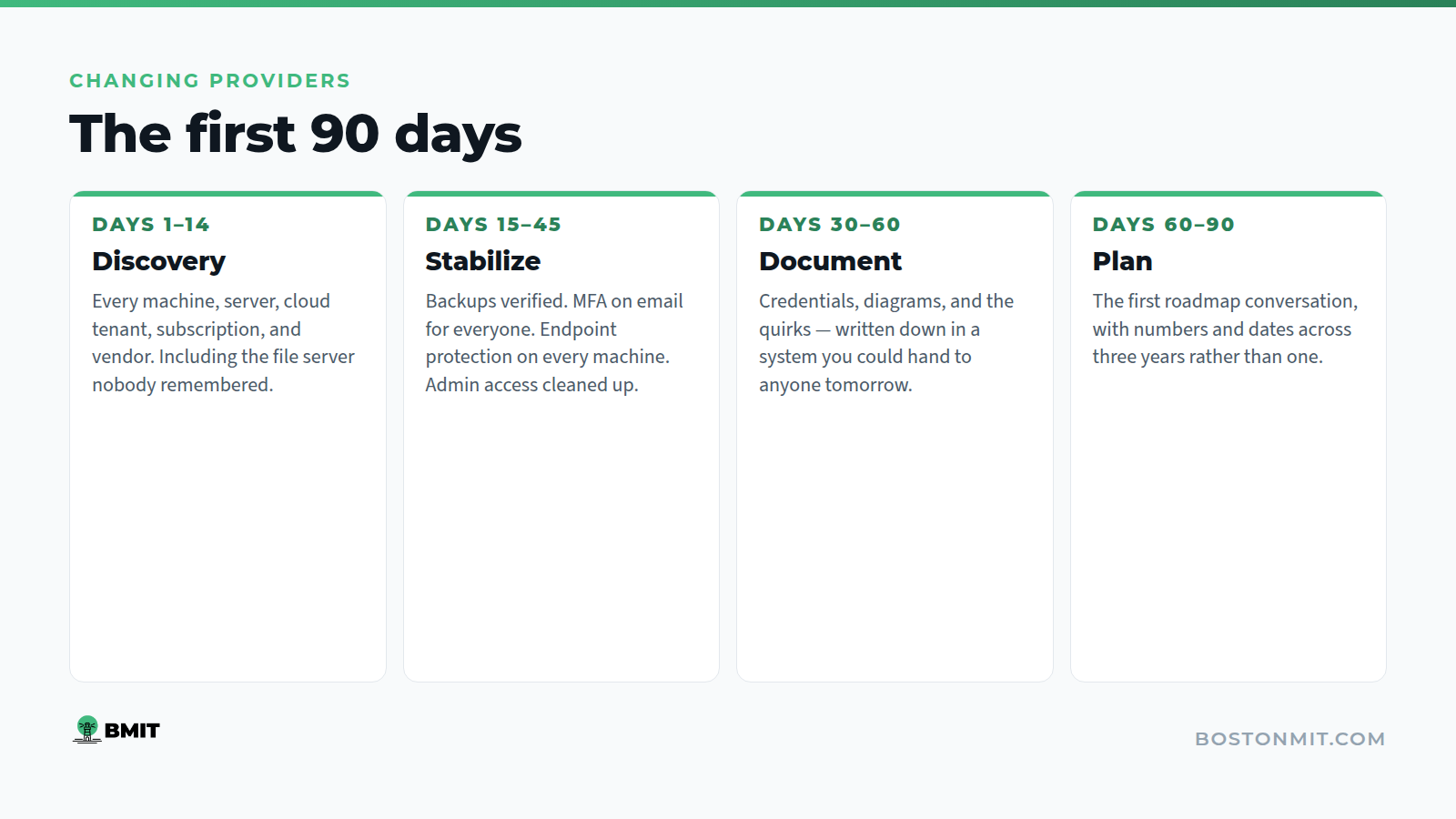
If you do change providers, the onboarding is where you find out what you bought. A serious takeover has four distinct phases, and you should be able to name which one you’re in at any point.
Days 1–14: Discovery. They inventory what you have. Every machine, every server, every cloud tenant, every line-item subscription, every network device, every vendor relationship. They find the things nobody remembered: the old file server under the stairs, the license still billing to someone who left in 2023.
Days 15–45: Stabilize. Fix what’s actively broken or actively dangerous. Backups running and verified. Multi-factor authentication on email for everyone. Endpoint protection deployed and reporting. Admin access cleaned up. This phase is not glamorous and it is where most of the risk actually lives.
Days 30–60: Document. Every credential, every network diagram, every “the way we do it here” quirk gets written down in a system you could hand to another provider tomorrow. If your IT documentation lives in one technician’s head, you don’t have documentation. You have a dependency.
Days 60–90: Plan. Now they know your environment well enough to have an opinion about it. This is the first roadmap conversation, and it should come with numbers and dates.
Through all of it, your team should barely notice. Nobody at your firm signed up for a technology project. They signed up to do their jobs, and a good takeover is one where the biggest change they experience is that the helpdesk number is different.
How we run it at BMIT
We’ve been doing this in Boston since 2017, for organizations between roughly 5 and 100 seats, with a center of gravity around 25. That size constraint is deliberate. It’s the range where we can behave like your internal IT department rather than a call center with a ticket queue. We know your people by name. We know which application the billing team can’t work without.
The managed IT engagement covers the cadence above: monitoring, patching, backup verification, US-based helpdesk, and the quarterly strategy conversation. Infrastructure and on-site support covers the parts that need someone physically in the building, which in this city is more often than vendors like to admit. Cloud and cybersecurity covers Microsoft 365, identity, and the controls your insurer and your clients are going to ask about.
We work a lot with legal, financial services, and nonprofit organizations, where “we lost a day” has consequences beyond the day. If you want to see how that plays out in practice, the case studies are short and specific. The investment portfolio one covers supporting multiple companies under one umbrella, which is its own particular headache.
Four questions to take to your current provider
You don’t have to switch to get value out of this post. Send your account manager an email with these four questions and see what comes back.
- When did you last successfully restore a file from our backup, and can you show me?
- Which of our user accounts currently have administrator rights, and why does each one need them?
- What’s on our hardware replacement list for the next twelve months, and roughly what does it cost?
- What’s the one thing about our environment that worries you most?
Good answers come back within a couple of days with specifics. Vague answers, or a request for a meeting to “discuss your concerns,” tell you something too.
If you’d rather have someone walk through it with you, that’s what a consultation is for.
Not sure what your current provider is actually doing? Book a consultation with our team. We’ll walk through what’s running today, what isn’t, and what it would take to fix it. No obligation, no pressure to switch.
Book a consultation · 617-322-5155