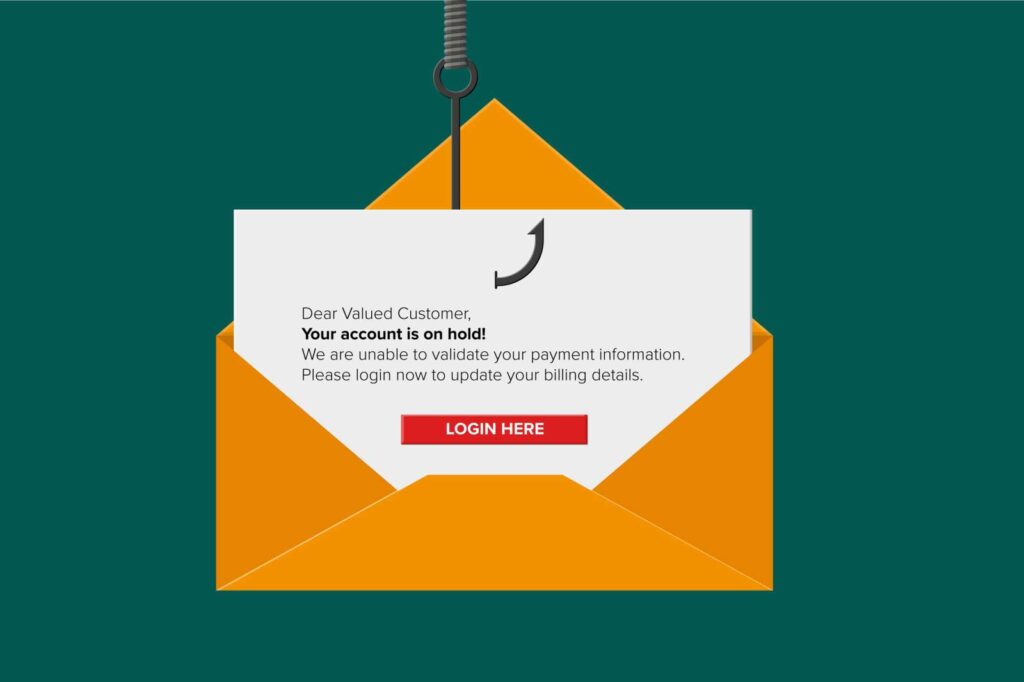
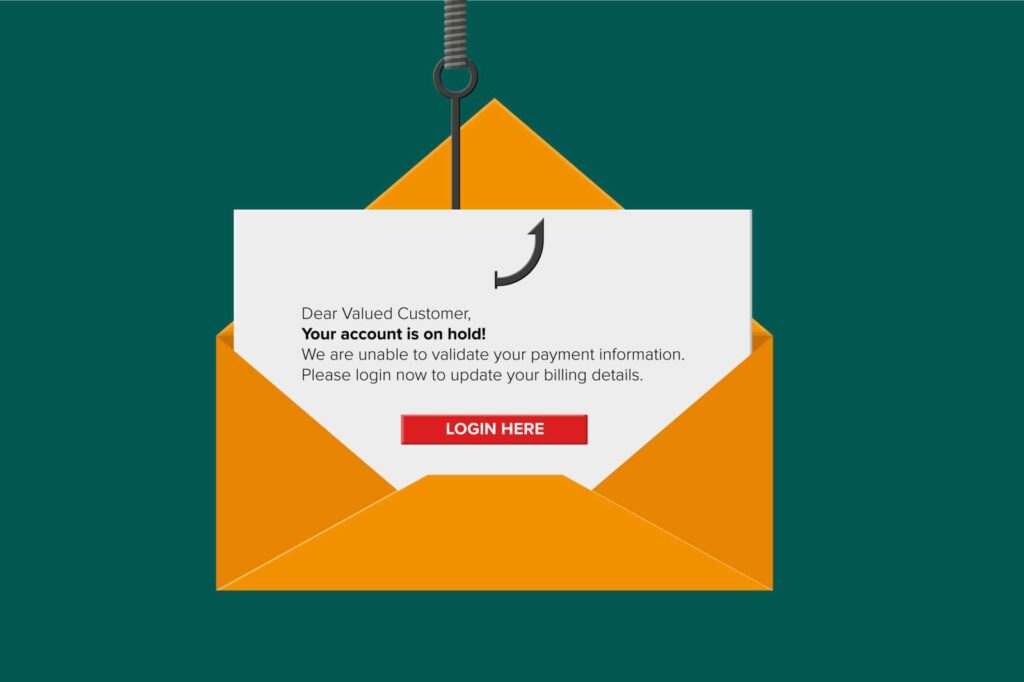
Phishing emails are a common way for hackers to steal personal information, such as passwords and credit card numbers. In recent years, there has been a rise in image-based phishing emails, which are more difficult to detect than traditional text-based emails.
Image-based phishing emails use images to trick users into clicking on malicious links. The images are often stolen from legitimate websites, and they can be very convincing. For example, an image-based phishing email might contain an image of a bank logo, or it might contain an image of a shipping confirmation.
When a user clicks on a malicious link in an image-based phishing email, they are taken to a fake website that looks like the real thing. The user is then asked to enter personal information, such as their username and password. Once the user enters their personal information, the hacker can steal it and use it to commit identity theft or fraud.
Image-based phishing emails are becoming more common because they are more difficult to detect than traditional text-based emails. Most email filters are designed to scan for text-based content, so they can miss image-based phishing emails.
If you receive an email that contains an image, be careful before clicking on any links. Instead, hover your mouse over the link to see the URL that it is actually pointing to. If the URL looks suspicious, do not click on it. You can also contact the sender of the email to verify that it is legitimate.
Here are some tips to help you avoid falling victim to image-based phishing emails:
- Be suspicious of any email that asks you to click on a link or open an attachment.
- Hover your mouse over links before clicking on them to see the actual URL that they are pointing to.
- Do not enter personal information on websites that you do not trust.
- Keep your software up to date, including your email client and web browser.
- Use a spam filter to help reduce the number of phishing emails that you receive.
If you need help protecting your staff, give me a call at (617) 322-5155 or reach out at https://www.bostonmit.com/contact/