
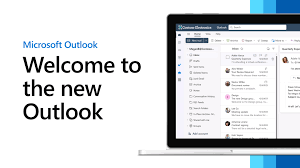
Your guide to the new email and calendar experience starting April 2026.
Starting in April 2026, Microsoft will begin transitioning users with Microsoft 365 for Enterprise licenses from the classic Outlook for Windows to the new Outlook for Windows. This initiative aims to provide users with a modernized email and calendar experience, incorporating advanced features and improved integration within the Microsoft 365 ecosystem.
Key Highlights of the New Outlook for Windows:
- Enhanced User Interface: The new Outlook offers a streamlined and simplified design, enhancing user experience and productivity. Microsoft Support
- Advanced Features: Inclusion of intelligent capabilities such as Microsoft Copilot, which assists in drafting emails and summarizing conversations. Microsoft Tech Community
- Improved Integration: Seamless connectivity with Microsoft 365 apps, including Word, Excel, and PowerPoint, facilitating efficient workflows. Microsoft
- Productivity Tools: Features like pinning and snoozing emails allow for better inbox management and prioritization. Microsoft Support
Migration Timeline:
- April 2026: Initiation of user transition to the new Outlook. Users will have the option to revert to the classic version if desired.
- Post-April 2026: Potential for additional toggles to the new Outlook as updates are released.
Preparation Steps:
- Evaluate Compatibility: Assess current workflows and integrations to ensure compatibility with the new Outlook features.
- User Training: Provide training sessions to familiarize users with the new interface and functionalities.
- Feedback Mechanism: Encourage users to utilize the Feedback option in the Help ribbon to share their experiences, aiding in the refinement of the application.
- Opt-Out Option: For organizations not ready to transition, configure systems to remain on the classic Outlook version.
Additional Resources:
- Feature Comparison: Review the feature comparison between new Outlook and classic Outlook to understand the differences and plan accordingly.
- Migration Planning: Refer to Microsoft’s migration planning guide for detailed steps and considerations.
By proactively preparing for this transition, organizations can leverage the enhanced capabilities of the new Outlook to boost productivity and streamline communication processes.
Boston Managed IT (BMIT) provides managed IT services in Boston and across Greater Boston from our office in Waltham. Book a free IT assessment.